
If you’re an MSP who leverages Huntress as part of your security stack, you probably have an onboarding procedure to deploy the Huntress agent and related security, AV, and audit settings through Intune (or your RMM). When it comes to app deployment, some of you may be leveraging RMM as your primary tool, which is fine, but the defender and audit settings are far simpler to deploy with Intune.
Huntress documentation on deployment of the agent and their required/recommended settings is great. However, each one of these items is its own separate manual deployment. Manual deployment takes more time, and have a higher change of user error when creating the packages and deployments. Similar to my PrintServerToIntune tool, I wanted to make deploying the agent and all other settings as simple as possible, while still making it flexible enough to leverage for multuple organizations.
The Huntress Intune Launchpad currently only deploys the agent and configuration settings for Windows, but I will add macOS in the near future. The latest release is available on GitHub. It performs the following when executed:
- Creates a logs folder in the working directory and logs the output of the script.
- Packages and deploys the Huntress Agent as a Win32 app leveraging the PowerShell script installer type. The installer script is pulled from the official huntress repo. You’re prompted when launching the tool to enter your organization and account key, which will inject them into the installer script. Using the PowerShell script installer type makes this easy to swap the script later if changes need to be made.
- Creates the Huntress recommended Windows audit settings as a settings catalog policy. Although not required when only using MDR, these are recommended if you’re leveraging the Huntress SIEM. This downloads the official JSON Intune settings catalog policy from Huntress, which has all these settings pre-configured. The settings can all be found here – Huntress Managed SIEM – Configure Windows Auditing via Microsoft Intune – Huntress Support.
- Creates the Huntress Defender AV Baseline policy. Many times, you get a new client and need to start covering their securtity on day one before you truly understand their whole environment. You may have your own hardened AV policy you like to use, but the Huntress AV baseline is a good start and aligns with many of the Microsoft defaults. This policy is pulled from my GitHub, so you can easily edit the script to pull your custom JSON file if you’d like. The Huntress AV baselines can be found here – https://support.huntress.io/hc/en-us/articles/4404012729747-Microsoft-Defender-Recommended-Default-Settings
- Creates a policy to enable Tamper Protection, which is recommended by Huntress.
- Creates an Additional Settings catalog policy containing some of the recommended AV settings not available in the endpoint security template. Specifically:
- Allow security intelligence updates from Microsoft Update
- Check for the latest virus and spyware security intelligence on startup
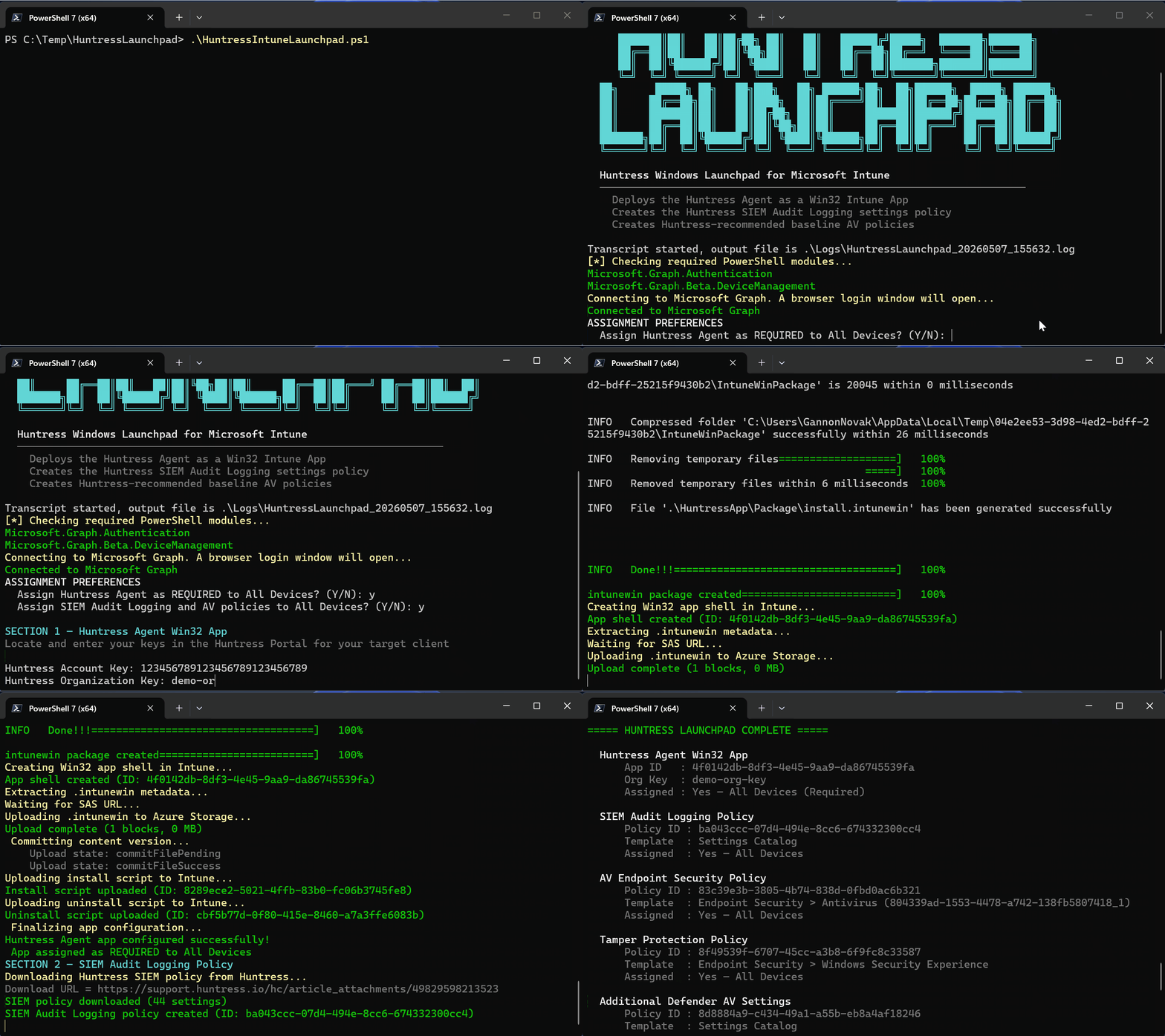
When launching the script, you’ll be asked to enter your account and org key, and then you’ll be asked if you want to assign the Huntress agent and policies to all devices. After that, authenticate to graph, sit back and the script should complete in ~20 seconds. When its finished, the downloaded files are cleaned up and you’ll be presented with a summary of the Win32 app, and each policy that was created. Here it is in action:
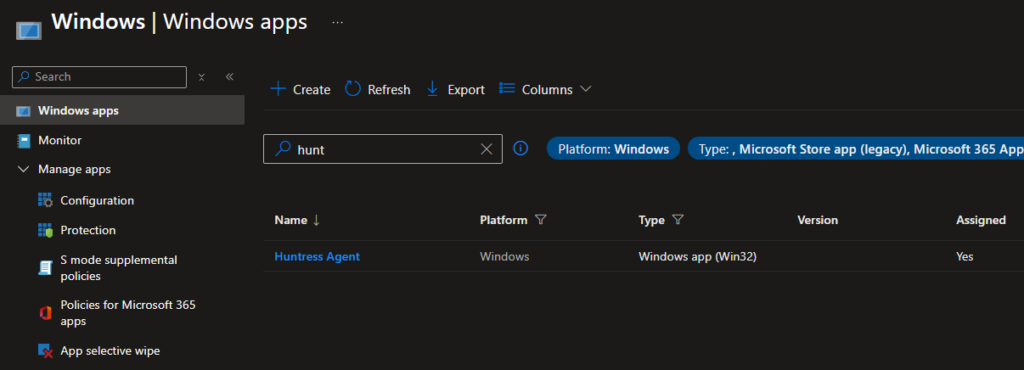
You’ll end up with a Win32 app named Huntress Agent:
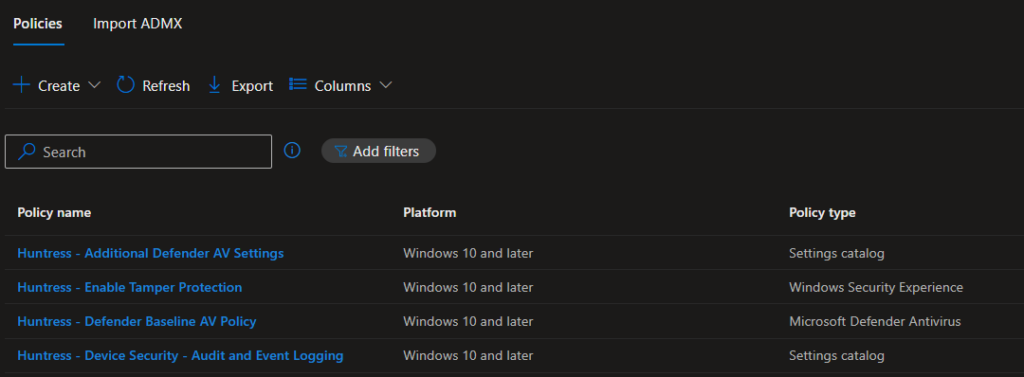
And the four policies prefixed with Huntress-:
A few things to point out or reiterate:
- The Policy configurations are not part of the script iteself. They’re all JSON files pulled from Huntress or GitHub. This provides more flexibility as policies change.
- The detection script for the Win32 app looks for the Huntress Service. You can change this if you’d like. Look at lines 230 through 238 if you want to edit the detection method.
- Only the Huntress recommended exclusions are baked into the Defender AV policy. You’ll need to add any client-specific exclusions.
This should help standardize and automate your new client Huntress onboarding. I will update this blog as changes are made to the tool.